
🌴 A vacation & PTO calendar your whole team can see in Slack.
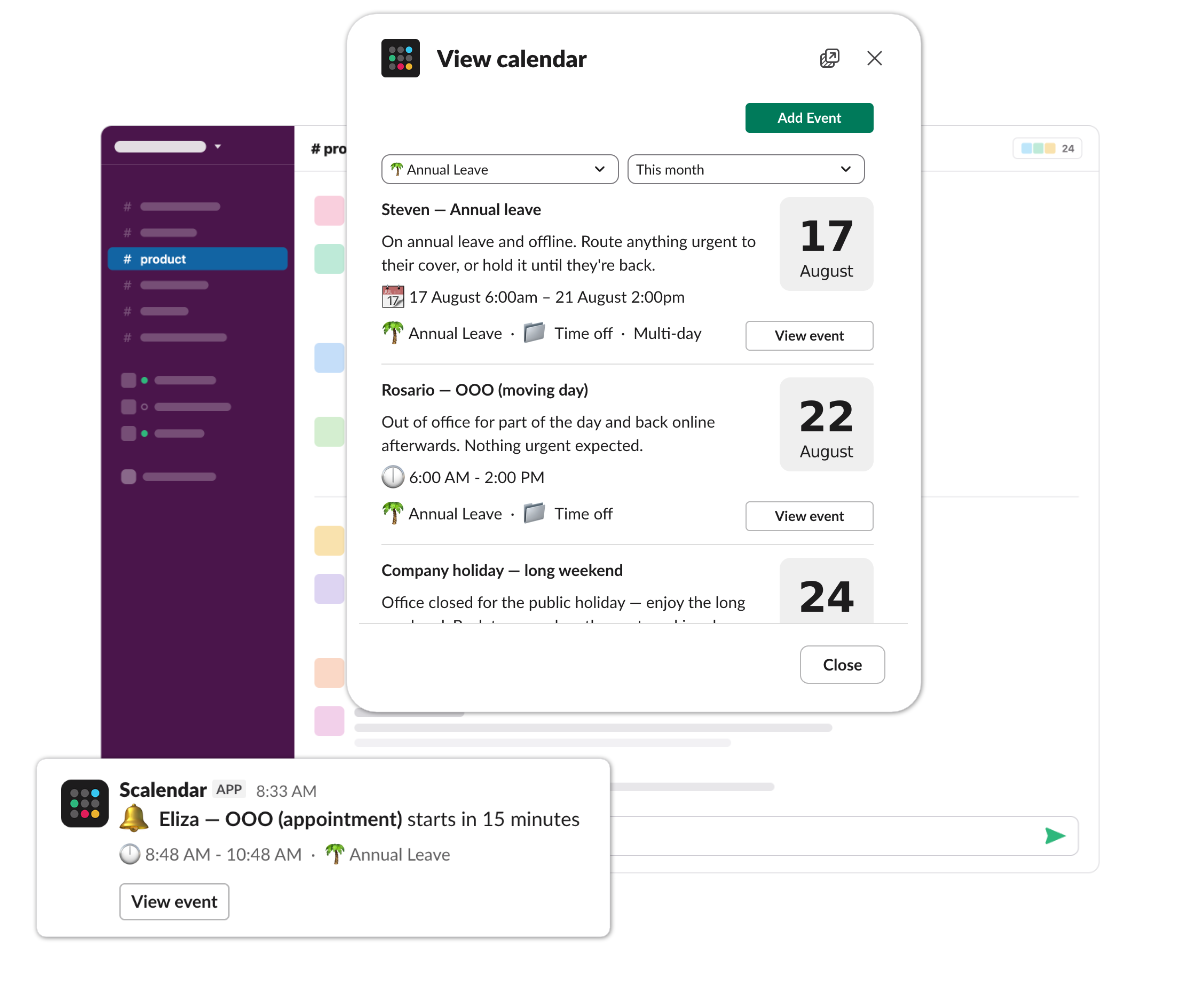
Vacation, PTO and out-of-office days on one calendar in a shared channel. Multi-day time off spans the full date range, so a week away actually looks like a week away.
The workflow
Before & after Scalendar.
Without Scalendar
You ask "is Riya in tomorrow?" in #engineering. Five minutes pass. Eventually somebody DMs you a Notion link to a shared time-off doc that hasn't been updated since February.
- ✕Three different ways to log OOO (none of them official)
- ✕The "is anyone covering Friday?" panic thread
- ✕Time-off invisible until somebody's status is set to 🌴
With Scalendar
A Slack vacation & PTO tracker in a shared #team-ooo calendar. Drop a multi-day time-off event — everyone knows.
- Multi-day vacation and PTO events render across the full date range
- Browse by week or month — see overlaps before they bite
- Open permissions: people add their own time off
On a vacation tracker
What goes on a Slack vacation & PTO tracker.
Vacation, PTO, annual leave, parental leave, public holidays, half-days — the out-of-office events your team needs to see at a glance. Multi-day time off renders across the full date range, so a week off actually takes up a week on the calendar. Open permissions mean people add their own time off without filling in a request form.
Vacation & annual leave
Multi-day events that span the full vacation. Visible to the whole team in one place.
Conferences & WFA
Working-from-away days, conference travel, half-days at the dentist.
Public holidays
Calendar your region's holidays in #general. New starters know exactly what's coming.
Parental leave
Long-form OOO with a clear return date. Pinned in the team channel.
Half-days & flex
Quick "AM only" or "PM out" notes for the days that aren't a full-day OOO.
Other ways teams use it.
All use casesLaunches & deadlines
Keep ship dates, code freezes, and demos visible to everyone.
Standups & rituals
Recurring sync, design crit, retro — pinned to the channel they happen in.
Community events & meetups
AMAs, workshops, office hours. Members RSVP from inside Slack.
Ready to try Scalendar as your team's vacation & PTO tracker?
Install in 30 seconds. Free for up to 2 calendars. No card required.
Add to Slack